Compact Minimalist Desk Setup in India
Compact Minimalist Desk Setup in India
Disclosure: This page contains affiliate links. We may earn a commission if you purchase through them, at no extra cost to you. We only recommend products we believe are useful.
Creating a comfortable workspace in a small apartment doesn't require a large desk or a dedicated home office. When floor space is limited, the better approach is to choose items that serve a clear purpose, reduce clutter, and make the workspace easy to adapt when the room needs to be used for something else.
This minimalist desk setup for small apartments in India brings together space-saving furniture, compact accessories, wireless peripherals, simple organization tools, and practical resources based on common workspace problems.
The focus isn't on creating a perfectly styled desk. It is about making a limited amount of space comfortable, functional, and easy to maintain.
⭐ At a Glance
📏 Save Space
- Reduce floor-space requirements
- Consider folding or compact furniture
- Keep the main work surface available
🧹 Reduce Clutter
- Organize small everyday items
- Reduce unnecessary cables
- Give frequently used things a permanent home
💻 Work Comfortably
- Position your screen appropriately
- Use suitable lighting
- Choose seating that fits the room
🧠 Simplify Work
- Reduce physical distractions
- Keep digital tasks organized
- Use only the tools you actually need
⚠️ Common Small-Apartment Workspace Problems
- A conventional desk can use too much valuable floor space.
- A small desktop can become crowded quickly.
- A traditional desk lamp can take up useful working space.
- Keyboards, mice, chargers, and adapters can create cable clutter.
- Stationery and small everyday items can spread across the desk.
- Several charging cables can make an otherwise simple workspace look untidy.
- A workspace may need to serve more than one purpose during the day.
- Limited storage can make work materials harder to organize.
- Too many productivity apps can create digital clutter.
- Furniture chosen without measuring can interfere with doors, cupboards, movement, or other furniture.
📊 Compare Minimalist Desk Essentials
| Product / Tool | Useful For | How It May Help | Link |
|---|---|---|---|
| QARA Folding Desk | Small-space workspace | Provides a working surface while allowing the room to remain more flexible when the desk isn't being used. | View Product |
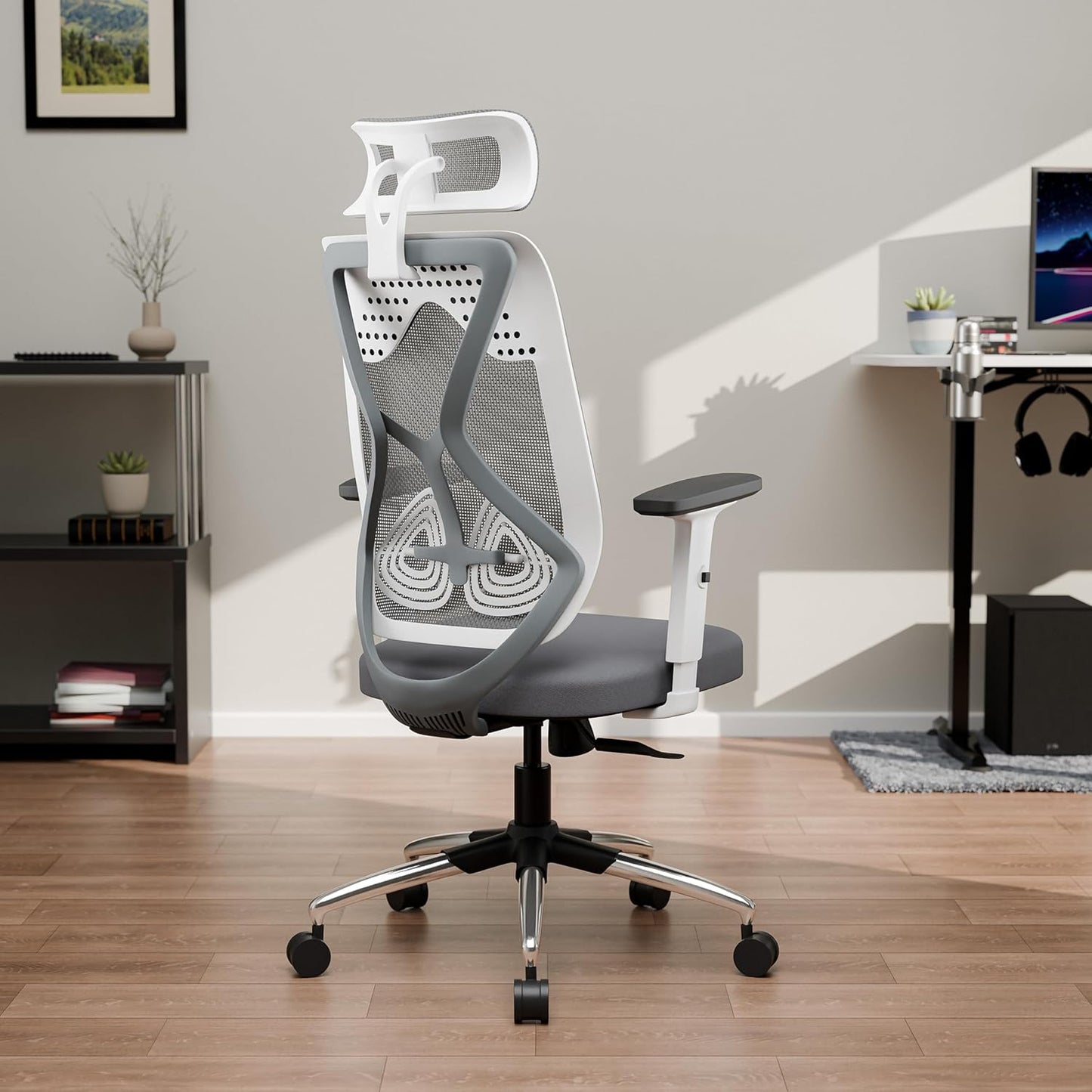
| Green Soul Zodiac Lite | Workspace seating | One seating option to consider when regular work or study requires both comfort and reasonable room clearance. | View Product |
| Quntis Computer Monitor Lamp | Compact lighting | Uses monitor space for lighting rather than taking up the footprint of a conventional desk lamp. | View Product |
| Logitech Pebble 2 Combo | Wireless peripherals | Combines a keyboard and mouse in a compact wireless setup that can reduce some cable clutter. | View Product |
| MeRaYo Metal Mesh Desk Organizer | Small-item organization | Provides a designated place for stationery and other frequently used desk essentials. | View Product |
| ChargeTree Swing 3-in-1 Wireless Charging Station | Device charging | Can consolidate compatible device charging into one area instead of having several charging points around the desk. | View Product |
| Notion Templates | Digital organization | Can help organize tasks, notes, projects, and other information in one digital workspace. | Explore Templates |
| Essentialism | Focus and priorities | Explores the idea of focusing attention on what matters rather than trying to do everything. | View Book |
| The Minimalist Entrepreneur | Work and entrepreneurship | Explores minimalist principles related to building a business around useful products, customers, and sustainable growth. | View Book |
🧩 Choose Based on Your Workspace Problem
📏 Need to Save Floor Space?
Start with the desk rather than the accessories. A folding or compact desk may make more sense than trying to fit a conventional workstation into a room that was not designed for one.
One option to consider: QARA Folding Desk
🪑 Spend Several Hours at Your Desk?
Limited space doesn't mean that seating comfort should be ignored. Check the chair dimensions and make sure there is enough room to sit, move, and get up without constantly hitting nearby furniture.
One option to consider: Green Soul Zodiac Lite
💡 Running Out of Desktop Space?
Look for accessories that make use of existing monitor or vertical space. Moving suitable lighting away from the main desktop can leave more room for your keyboard, notebook, and other essentials.
One option to consider: Quntis Computer Monitor Lamp
⌨️ Dealing With Too Many Cables?
Wireless peripherals can reduce some of the cables running across a small workspace. You don't need to make everything wireless, but removing unnecessary cables can make the desk easier to manage.
One option to consider: Logitech Pebble 2 Combo
🗂️ Small Items Keep Spreading Across the Desk?
Give frequently used stationery and accessories one designated location. An organizer is most useful when it contains things you actually use rather than becoming another place to store unused items.
One option to consider: MeRaYo Metal Mesh Desk Organizer
🔋 Charging Cables Creating Clutter?
Consider creating one dedicated charging area for compatible devices rather than allowing chargers to spread across different parts of the workspace.
One option to consider: ChargeTree Swing 3-in-1 Wireless Charging Station
🧠 Digital Workspace Becoming Difficult to Manage?
A tidy physical desk works better when your digital workspace is manageable too. A simple system for notes, tasks, projects, and information can reduce the need to keep reminders and files scattered across different apps.
One option to consider: Notion Templates
🌱 Want to Simplify Your Priorities?
Minimalism can extend beyond physical objects. Essentialism explores the idea of deliberately focusing on what matters instead of trying to fit everything into your schedule.
One resource to consider: Essentialism: The Disciplined Pursuit of Less
💼 Use Your Workspace for a Small Business?
For freelancers, creators, and people building businesses from home, The Minimalist Entrepreneur explores minimalist thinking in entrepreneurship and building around genuine customer needs.
One resource to consider: The Minimalist Entrepreneur
🗺️ Minimalist Desk Setup Roadmap
Step 1
Measure the room. Check desk width, depth, chair clearance, nearby furniture, power outlets, doors, windows, and walking space.
Step 2
Choose the workspace. Select a desk that provides enough working surface without taking more floor space than necessary.
Step 3
Prioritize comfort. Choose suitable seating and position your screen and keyboard for regular use.
Step 4
Free the desktop. Move lighting and other suitable accessories away from the main work surface where practical.
Step 5
Reduce clutter. Organize stationery, remove unnecessary items, and consolidate charging and cables.
Step 6
Simplify digitally. Use a manageable system for tasks, notes, projects, and information rather than spreading everything across multiple apps.
👥 Who Is This Minimalist Desk Setup For?
- Apartment Residents working from a bedroom, living room, or compact home office.
- Studio Apartment Residents who need their workspace to coexist with other activities.
- Remote Workers without a dedicated office room.
- Students who need a compact study area at home.
- Freelancers working from limited home space.
- Content Creators who need a functional workspace without building a full studio.
- Small Business Owners using part of their home as a work area.
- Minimalist Workspace Seekers who prefer keeping only useful items around them.
💡 Smart Small-Space Workspace Tips
- Measure your available space before buying furniture.
- Consider the space required when the chair is pulled out, not just the desk dimensions.
- Choose a folding desk when the room needs to serve multiple purposes.
- Use monitor-mounted accessories when they genuinely save desk space.
- Keep frequently used items within reach and store everything else elsewhere.
- Use wireless peripherals if reducing cables makes the workspace easier to manage.
- Create one dedicated area for charging devices.
- Don't use organizers to store things you rarely use.
- Keep part of the desktop empty instead of filling every available centimetre.
- Use vertical space before adding another piece of furniture.
- Prioritize everyday comfort over decorative appearance.
- Don't replace working products simply because they don't match a minimalist aesthetic.
- Keep your digital workspace simple enough to maintain every day.
- Start with the problem that bothers you most rather than trying to build the entire setup at once.
🛍️ What to Consider Before Choosing Workspace Products
📏 Measure First
Compare product dimensions with the available area. Allow additional room for the chair, movement, doors, cupboards, and other furniture.
🪑 Think About Daily Use
A product may look compact, but the more important question is whether it remains practical and comfortable when used regularly.
🔌 Check Device Compatibility
Before choosing wireless charging or other accessories, check whether your existing devices are compatible with the product.
🧹 Avoid Duplicate Functions
If you already have a working desk lamp, organizer, keyboard, or charging solution, you may not need another one simply because it has a minimalist appearance.
🏠 Consider the Whole Room
Think about how the workspace interacts with the rest of your apartment. A useful setup should make the room easier to live and work in, not simply make the desk look better.
❌ Common Minimalist Desk Mistakes to Avoid
- Buying too many minimalist accessories and creating more clutter.
- Choosing a desk without measuring the available space.
- Prioritizing appearance over everyday comfort.
- Choosing a chair that leaves insufficient room for movement.
- Filling the entire desk surface with accessories.
- Keeping every charger and cable within reach.
- Buying organizers without first reducing unnecessary items.
- Replacing useful products simply to create a matching aesthetic.
- Creating a complicated productivity system with too many apps and templates.
- Trying to make the desk completely empty instead of making it functional.
❓ Frequently Asked Questions
-
What is a minimalist desk setup?
A minimalist desk setup focuses on keeping the workspace functional without unnecessary furniture, accessories, or visual clutter. The goal is to keep the things you genuinely use while making the workspace comfortable and easy to maintain.
-
How can I create a desk setup in a small apartment?
Start by measuring the available space and choosing a desk that fits comfortably without restricting movement. Folding furniture, compact peripherals, monitor-mounted accessories, vertical storage, and a simple organization system can help make better use of limited space.
-
Is a folding desk suitable for everyday work?
It can be, depending on the desk design, available space, and equipment you use. Check its dimensions, stability, working surface, weight capacity, and compatibility with your usual laptop or monitor setup before choosing one.
-
How do I make a small desk less cluttered?
Start by removing items you don't use regularly. Then give frequently used items a permanent home, reduce unnecessary cables, move suitable accessories away from the main work surface, and avoid filling every available part of the desk.
-
Is a monitor lamp useful for a small desk?
It can be useful when desk space is limited because a monitor-mounted lamp doesn't require the same footprint as a traditional desk lamp. The right choice depends on your monitor, lighting needs, and workspace arrangement.
-
Do I need wireless accessories for a minimalist desk?
No. Wireless accessories can reduce cable clutter, but they aren't essential. If your existing wired keyboard and mouse work well, good cable management may be all you need.
-
How can I keep my small workspace organized?
Give frequently used items one permanent location, keep unrelated objects away from the desk, create a dedicated charging area, and spend a couple of minutes resetting the workspace at the end of the day.
-
Can Notion help organize a digital workspace?
Notion can be used to organize tasks, notes, projects, and other information in one digital workspace. The important part is keeping the system simple enough that it doesn't become another source of digital clutter.
📝 Summary
A minimalist desk setup for a small apartment doesn't need to contain a large number of products. The most useful items are the ones that solve specific problems created by limited space.
A folding desk can help make better use of floor space, suitable seating can support regular work, monitor-mounted lighting can free up part of the desktop, and compact wireless peripherals can reduce cables. A small organizer can contain everyday items, while a dedicated charging area can make device charging easier to manage.
Beyond the physical workspace, a simple digital organization system and resources such as Essentialism and The Minimalist Entrepreneur can encourage a more intentional approach to work and priorities.
You don't need to choose everything at once. Start with the problem that affects your workspace most, choose the simplest useful solution, and add only what genuinely improves the way you work.
Share