Student Desk Setup
Student Desk Setup
Disclosure: This page contains affiliate links. We may earn a commission if you purchase through them, at no extra cost to you. We only recommend products we believe are useful.
Creating a productive student workspace doesn't have to mean buying expensive equipment. Whether you're studying at home, living in a hostel, attending online classes, or preparing for exams, the right desk essentials can help reduce distractions, improve comfort, organize study materials, and make learning more effective. This curated Student Desk Setup brings together practical desk accessories, study tools, tech, books, and a free digital productivity tool selected around common student challenges.
⭐ At a Glance
🎯 Focus
- Reduce study distractions
- Create a dedicated study environment
- Support focused study sessions
💻 Comfort
- Improve laptop positioning
- Better desk lighting
- More comfortable long study sessions
📚 Study Better
- Support active revision
- Improve study planning
- Build better learning habits
🗂️ Stay Organized
- Reduce desk clutter
- Organize notes and tasks
- Keep study resources accessible
⚠️ Common Student Study Desk Problems
- Background noise and distractions make it difficult to concentrate.
- Studying directly from a laptop for long periods can create an uncomfortable workspace.
- Poor desk lighting can make evening study sessions less comfortable.
- Pens, stationery, notebooks, and small accessories quickly create desk clutter.
- Assignments, exams, and deadlines can become difficult to manage without a planning system.
- Simply rereading notes may not be enough for effective revision and long-term retention.
- Students often need a simple space for solving problems, writing formulas, and visual revision.
- Notes, assignments, resources, and study tasks can become scattered across different apps and notebooks.
📊 Compare Student Desk Essentials
| Product / Tool | Best Use | Problem It Solves | Link |
|---|---|---|---|
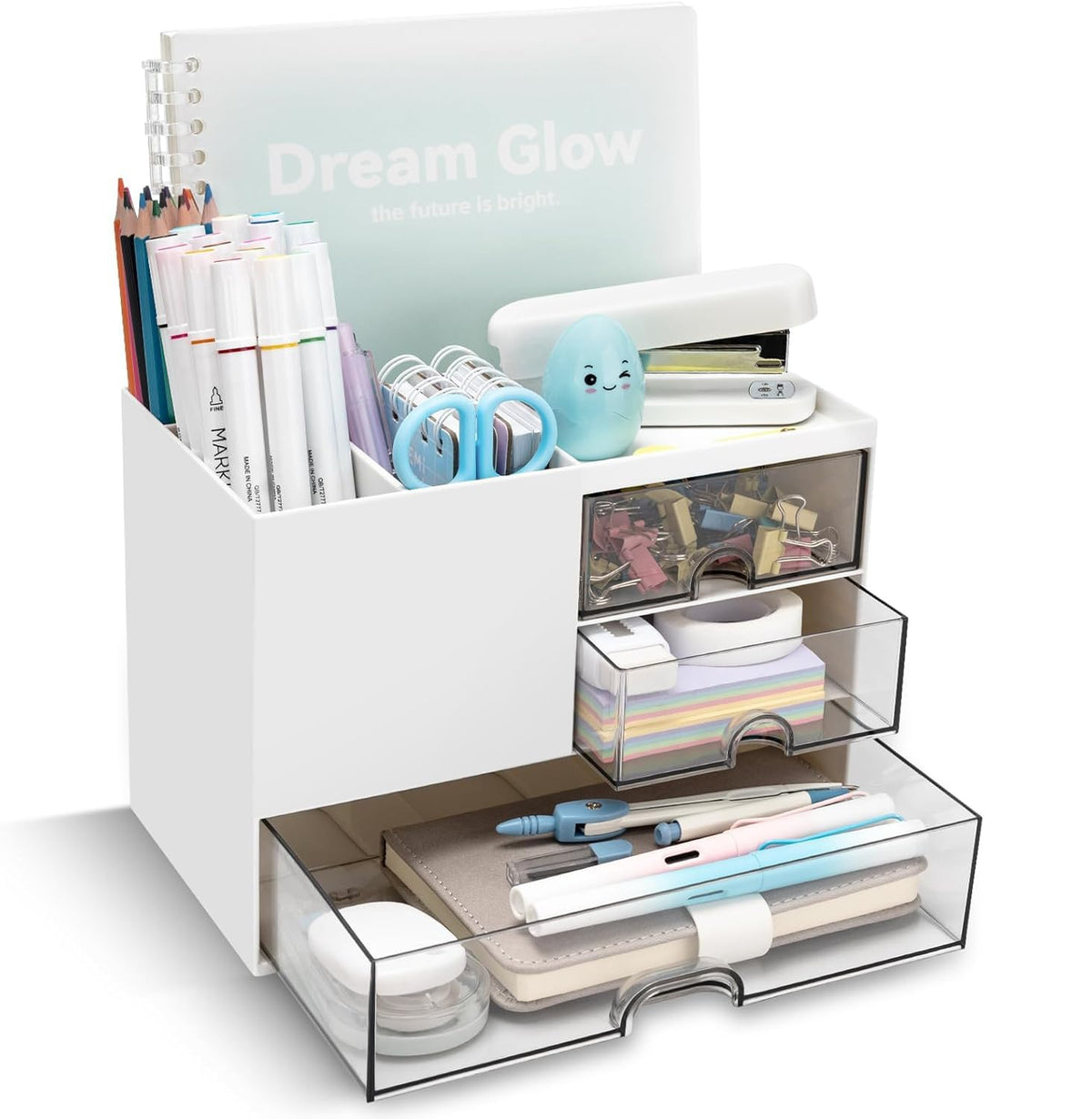
| Shuttle Art Desk Organizer | Stationery & desk organization | Reduces clutter by keeping frequently used study accessories organized. | View Product |
| Amkette Ergo Hi-Rise Laptop Stand | Laptop study setup | Raises the laptop screen to create a more comfortable workspace. | View Product |
| Fulminare Plastic LED Desk Lamp | Study lighting | Provides dedicated desk lighting for reading, writing, and evening study. | View Product |
| Noise Airwave Max 4 | Focus & online classes | Helps students manage distracting background noise and supports audio-based learning. | View Product |
| Nourish A5 Study Planner | Study planning | Helps organize assignments, study sessions, exams, and deadlines. | View Product |
| YAJNAS 2 × 3 Feet Double-Sided Whiteboard | Revision & problem-solving | Provides a dedicated space for formulas, diagrams, practice questions, and active recall. | View Product |
| Make It Stick | Learning & retention | Introduces practical approaches to learning, remembering, and retrieving information. | View Book |
| Notion | Digital study organization | Helps organize notes, assignments, study plans, projects, and learning resources. | Explore Free Tool |
⭐ Featured Picks
Shuttle Art Desk Organizer
A simple way to keep pens, stationery, and small study accessories organized instead of spreading them across the desk.
- ✔ Helps reduce desk clutter
- ✔ Keeps frequently used items accessible
- ✔ Useful for study desks and small workspaces
Amkette Ergo Hi-Rise Laptop Stand
Raise your laptop screen and create a more comfortable study position, especially when spending long periods working on assignments or attending online classes.
- ✔ Raises laptop screen height
- ✔ Helps create a dedicated laptop workstation
- ✔ Useful for study and online learning
YAJNAS Double-Sided Whiteboard
Turn revision into an active process by using a whiteboard for formulas, diagrams, practice questions, explanations, and recall exercises.
- ✔ Useful for visual revision
- ✔ Supports problem-solving practice
- ✔ Helpful for multiple subjects
🗺️ Student Desk Setup Roadmap
Step 1
Remove distractions. Start by creating a study environment where noise and unnecessary desk clutter are under control.
Step 2
Improve comfort. Position your laptop appropriately and make sure your study area has adequate lighting.
Step 3
Organize your essentials. Keep stationery, notebooks, and frequently used study items easy to find.
Step 4
Plan your workload. Use a study planner to track assignments, exams, deadlines, and revision sessions.
Step 5
Study actively. Use a whiteboard and effective learning techniques instead of relying only on passive reading.
Step 6
Organize digitally. Use Notion to bring notes, tasks, study resources, and projects into one workspace.
👥 Who Is This Student Desk Setup For?
- College Students managing classes, assignments, projects, and exams.
- School Students who need a dedicated space for homework, revision, and study.
- Online Learners attending courses, lectures, and virtual classes.
- Exam Preparation Students who need better planning, revision, and focused study sessions.
- Hostel Students creating a compact and organized study space.
- Students Learning Technical Skills who spend long periods working on laptops, coding, or completing online courses.
💡 Smart Student Workspace Tips
- Keep your study desk limited to the items you actually use during a session.
- Use headphones when background noise is interfering with concentration.
- Raise your laptop rather than working with the screen too low for long periods.
- Position your study lamp so that your notebook and writing area are well illuminated.
- Write deadlines and important tasks in your planner before beginning a study session.
- Use the whiteboard for formulas, diagrams, practice questions, and active recall.
- Instead of repeatedly rereading notes, try recalling information without looking at the answer.
- Keep digital notes and study resources organized by subject or course.
- Don't try to build the entire setup at once—start with the problem that affects your studying most.
❓ Frequently Asked Questions
-
What should a basic student desk setup include?
A basic setup can include comfortable laptop positioning, adequate lighting, a way to organize stationery, a planner, and a simple system for managing notes and study tasks. Additional items such as headphones and a whiteboard can be added based on individual needs.
-
Do students really need a laptop stand?
A laptop stand isn't essential for every student, but it can be useful for students who spend long periods working on a laptop. Raising the screen can help create a more comfortable workstation, particularly when paired with a separate keyboard and mouse.
-
How can a whiteboard help with studying?
A whiteboard provides space for solving problems, drawing diagrams, writing formulas, explaining concepts, and practicing recall. It can be particularly useful for subjects that involve calculations, processes, or visual concepts.
-
Is a physical study planner better than a digital planner?
Neither is universally better. A physical planner can make deadlines and daily priorities visible on your desk, while a digital planner can provide reminders and easier editing. Choose the format you are more likely to use consistently.
-
Can Notion be used by students for free?
Yes. Notion offers a free plan that students can use for organizing notes, assignments, study resources, projects, and other academic information. Students can start with the free version and decide whether they need additional features later.
-
Does a better desk setup improve studying?
A desk setup cannot replace effective study habits, but it can remove common obstacles such as clutter, poor lighting, distractions, and disorganization. A workspace that makes it easier to focus and start studying consistently can support better study routines.
📝 Summary
A productive student workspace doesn't need to be expensive or complicated. The most useful setup is one that addresses the problems that interfere with your own study routine. A desk organizer can reduce clutter, a laptop stand can improve your workstation, headphones can help manage distractions, and a planner can make deadlines easier to track. A whiteboard and Make It Stick can support more active learning, while Notion provides a free way to organize notes, assignments, and study resources digitally.
Instead of buying everything at once, identify your biggest study challenge first and build your workspace around it. The goal is not to create a perfect-looking desk, but a practical environment that helps you focus, organize, learn, and study consistently.
📚 Continue Learning
📦 Related Products
Share